

Switch to SeasonLane
Bring your next season or program into one connected platform.
If registration, rosters, schedules, payments and team communication live in different places today, you don’t have to replace everything in one night. Start with the next season, team or program, and move the work into SeasonLane in practical steps.
What you can bring first.
-
Your organization structure
Create seasons and teams, then invite staff to the roles they need: coaches see their teams, a treasurer sees the money, a registrar sees registrations.
-
Your player list
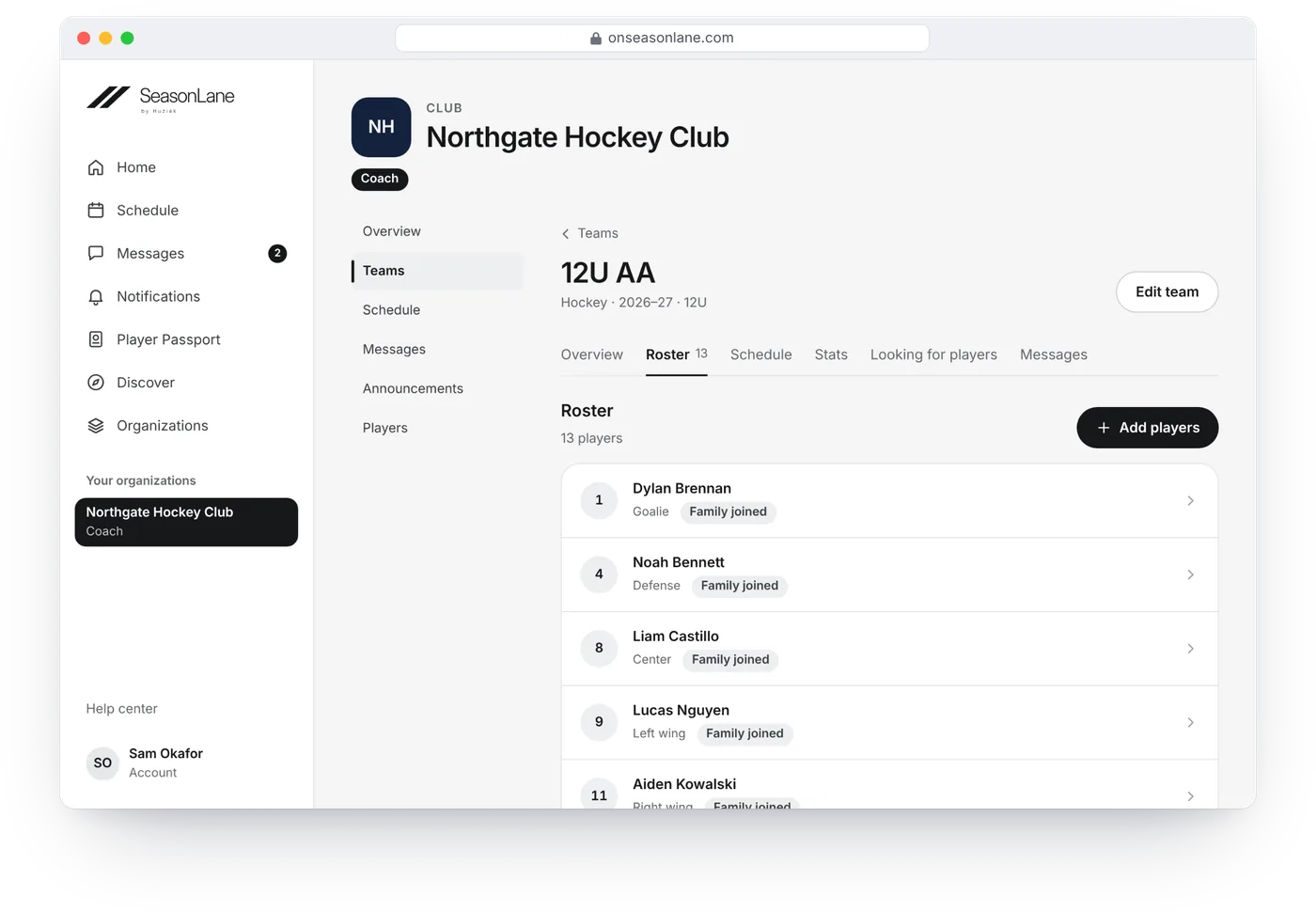
Add athletes one at a time, or, on the Team and Organization plans, paste or upload a list with each parent’s name and email. Possible duplicates are shown before anyone is added.
-
Your families
Send private invitations. A family signs in to the SeasonLane account they already have, or creates one, then connects their athlete.
-
Your next registration
Publish the next camp, clinic, tryout or season registration. Everyone confirmed joins the right team roster.
-
Your schedules
Put each team’s practices and games on its schedule, one at a time, as a weekly series, or pasted from a list on the Team and Organization plans. On the Organization plans, bring in every team’s schedule from one spreadsheet or calendar file, and a league’s calendar link updates its games every night. In or Out, reminders, attendance, chats, announcements, subs and game sheets run from there.
You don’t need a “big bang” migration
Start where the next clean handoff begins.
For many organizations, the cleanest time to switch is the next season or the next registration cycle. Keep the records you need to keep in your current system, and begin the new season’s work in SeasonLane where it makes sense.
SeasonLane brings over players and parents from a list, and practices and games from a list, on the Team and Organization plans. It doesn’t import past seasons, payments or messages from another system: those stay where they are.
Fewer handoffs. Less duplicate work.
- Confirmed registrations join the session’s team roster.
- The roster decides who sees the team’s schedule, chats and announcements.
- In or Out and attendance use the same team record.
- A sub for one game sees that game, without joining the roster.
- Verified game sheets update scores, standings and athletes’ stats.
- Next season starts from this one: its teams, coaches and the players you choose.
Questions about switching.
Can SeasonLane import our past seasons?
No. SeasonLane brings over players and parents from a list, and practices and games from a list or a calendar file, on the Team and Organization plans. Past seasons, payments and messages stay in the system they’re in now. From your first season on SeasonLane, the next one starts from the last.
Do families need a new account for our organization?
Not if they already have one. A family signs in with their SeasonLane account and connects their athlete. The same account works for every organization on SeasonLane.
Which plan do we need?
Free covers one team or one open program. Team adds the automation and the imports for one team, and the Organization plans cover several teams and programs, with tournaments and leagues on Growth and Scale.
Can you help us move?
Yes. Tell us what you use today and what you want to stop doing by hand, and we’ll help you decide what to move first.
More: Plans and pricing · SeasonLane for clubs · Compare platforms · Help: Move your club to SeasonLane
Tell us what your organization is running today.
We can help you decide what to move first and which SeasonLane plan fits the teams, programs, tournaments or leagues you run.