

How it works
Six connected stages, from first interest to what comes next.
SeasonLane is built so the work carries forward. A family’s interest becomes a registration. A registration becomes a roster spot. The roster drives the team’s schedule and communication. Game-day records update results and stats. And the season carries into the next one.
-
1. Publish what you run.
Create public programs, tournaments and leagues, turn on your organization’s public page, or post that a team is looking for players. On Discover, families find what fits by sport, place, birth year and timing, ask for one email when registration opens, or tell you they’re interested.
-
2. Turn interest into participation.
Families register an athlete already in their account. You set spots and waitlists, waivers, accepting each registration first if you like, deposits, balances and payment plans. Everyone confirmed joins the session’s team roster. Families pay by card, straight to your organization’s own Stripe account, and you record money taken by hand.
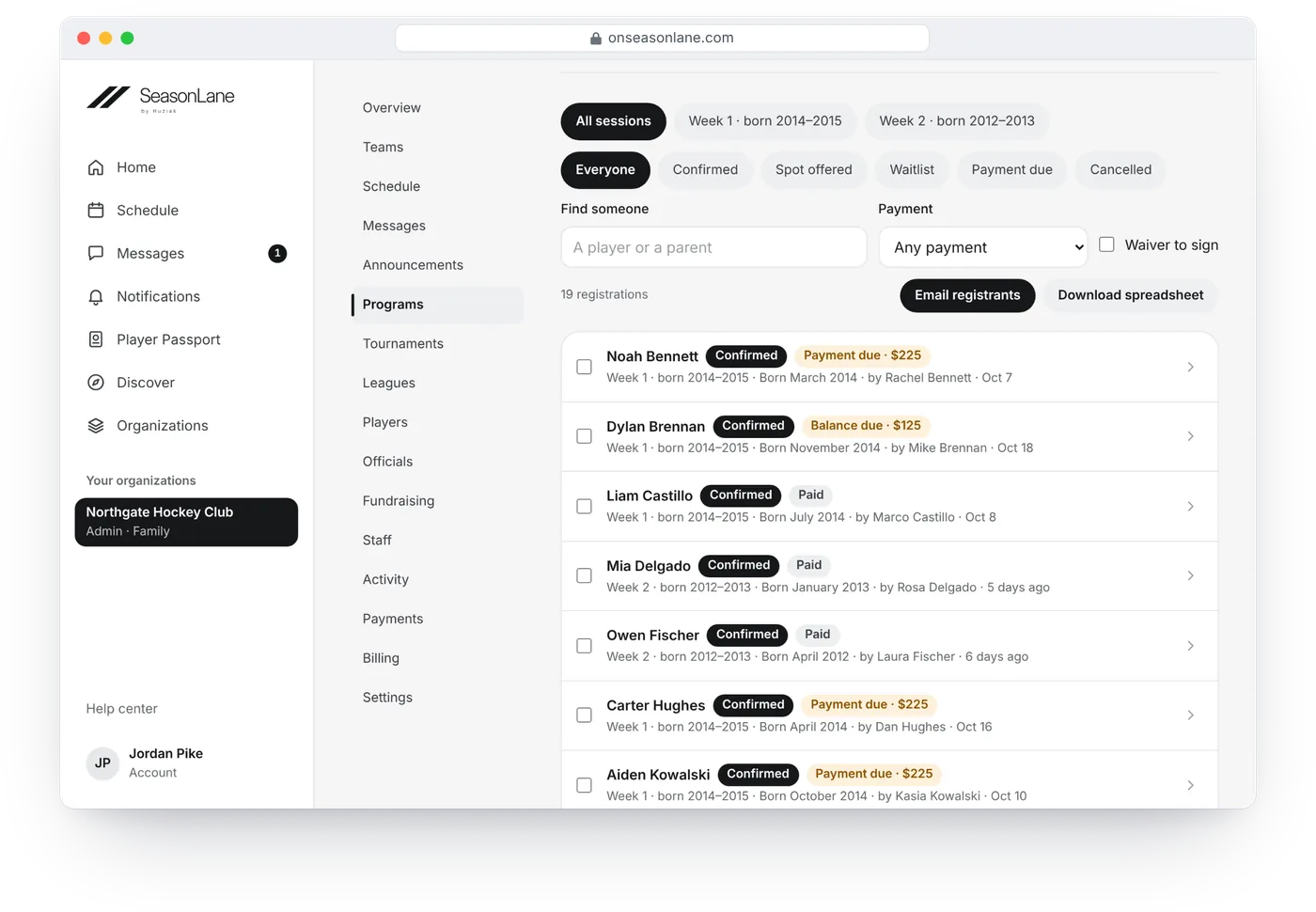
A camp’s registrations: each player’s week, status and payment. Names are made up. -
3. Give the right people the right access.
Build rosters, invite families privately and give staff the roles their work needs. Coaches see the teams they coach. Registrars, treasurers, schedulers, team managers and tournament and league directors get only what their job requires.
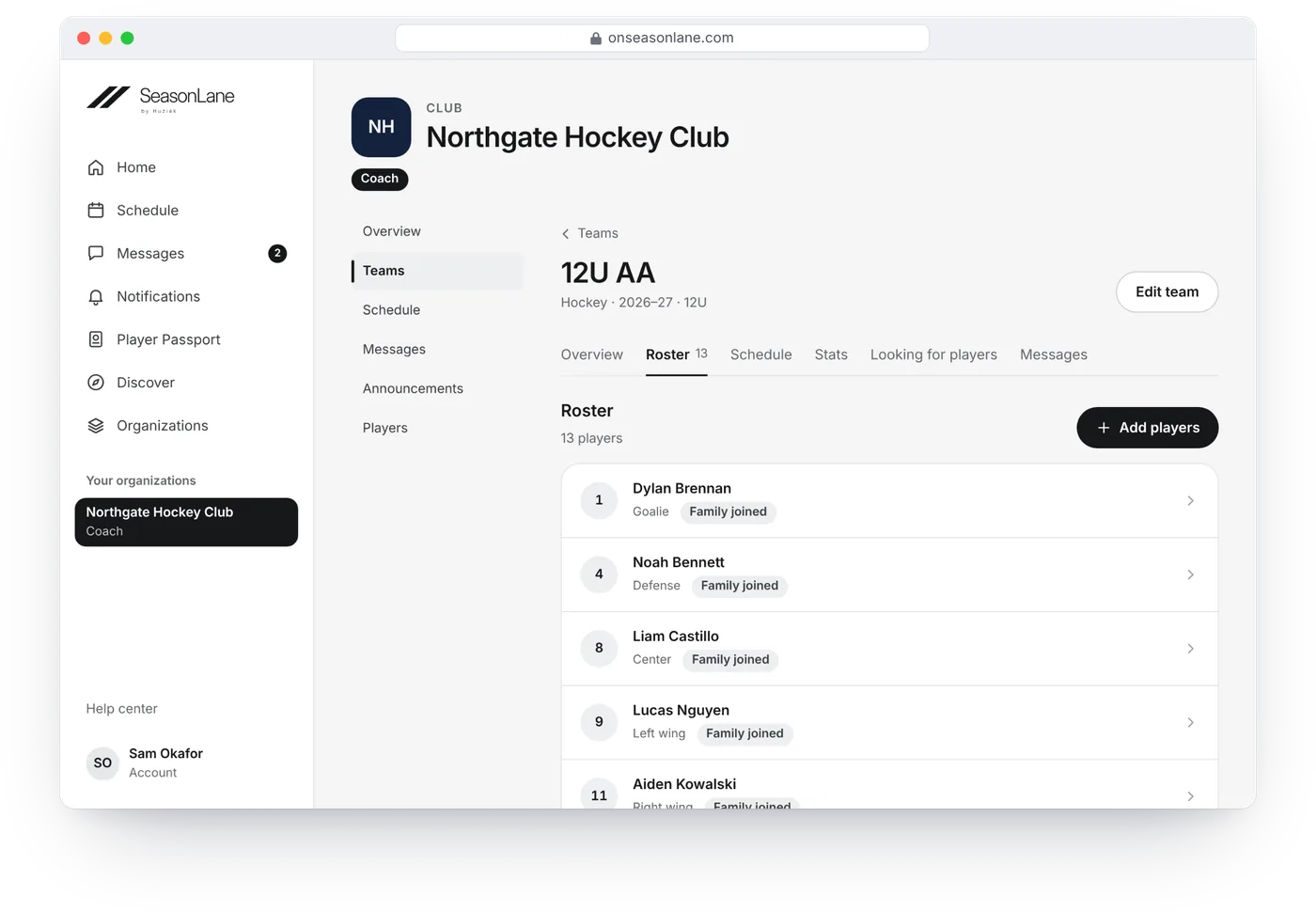
A team’s roster, and whose family has joined. Names are made up. -
4. Keep schedules, attendance and communication together.
Practices, games and events live on each team’s schedule. Families answer In or Out and get a reminder before each event, and coaches see who’s coming, take attendance and invite a sub for one game. Whoever schedules every team sees them all on one calendar, with clashes flagged before anyone drives to the rink. On the Organization plans, rinks add their sheets, give the season’s ice to teams fairly, change or import many events at once and take rental requests from outside groups, paid by card or recorded by hand. Each team’s schedule is public, with a page for every game and practice, unless you turn it off. Team chats, event chats, announcements and program emails reach the people connected to that work. Notifications reach phones, with quiet hours.
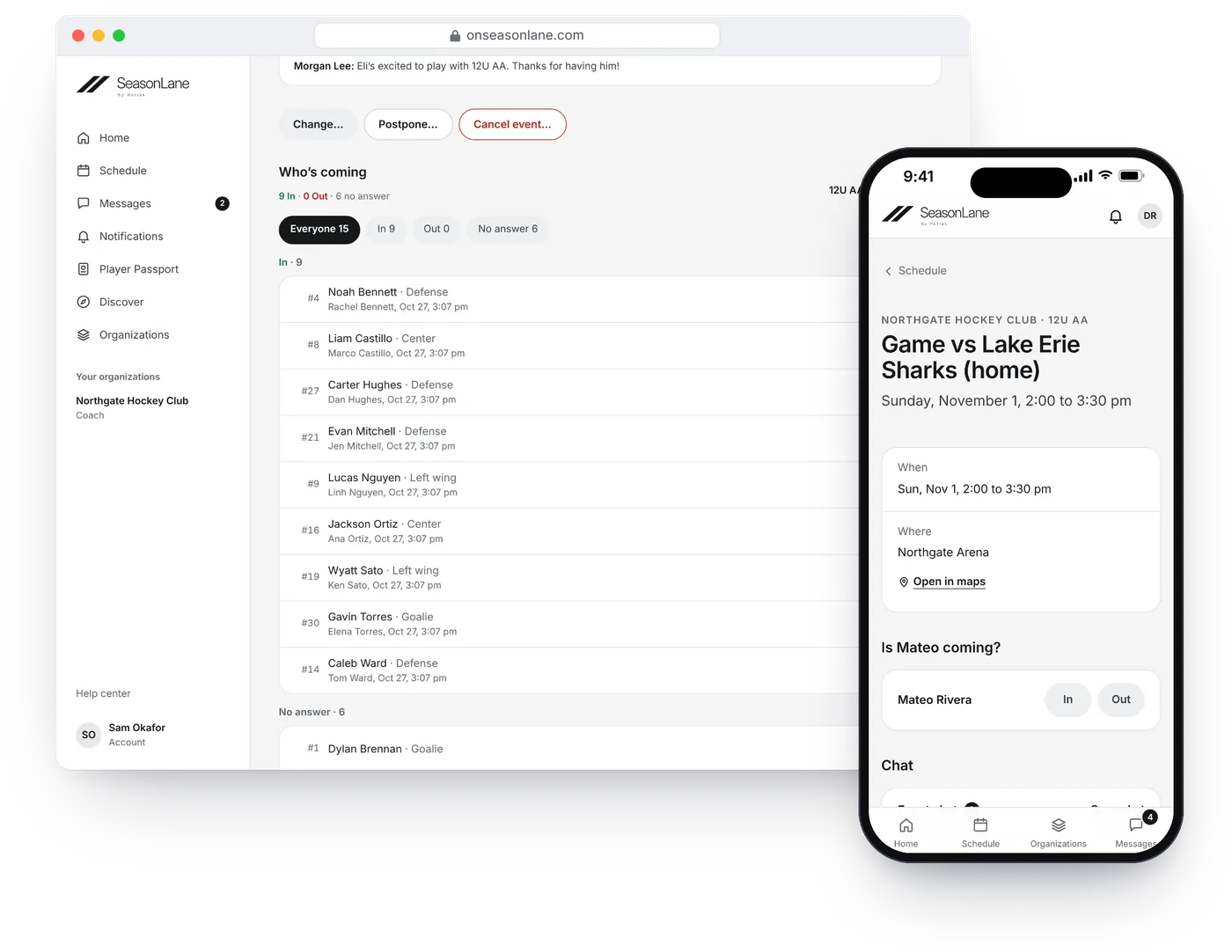
One game: the coach’s list of who’s coming, and a parent’s phone. Names are made up. -
5. Handle the game, the tournament or the league.
Ask officials, scorekeepers and EMTs to work your games. Keep a game sheet, and the referee or umpire verifies it. On Organization Growth and Scale, tournament and league hosts manage team entries, private rosters, parent-signed waivers, schedules, pools, brackets, standings and public pages, place games into their open ice around the dates teams can’t play, show how even the schedule is, and let teams ask to change a game.
-
6. Keep the history. Start the next season.
Verified teams, seasons and stats become part of each athlete’s Player Passport. Start next season from the last one: copy teams and coaches, choose returning players and archive the old season.
Two sides of the same platform.
For organizations
Run the teams, registrations, money, schedules, communication and events your organization is responsible for, with each staff member seeing what their role allows.
For families
Keep one account for every organization on SeasonLane, one schedule across your athletes and one private athlete record per child.
A Player Passport for every player, at every age.
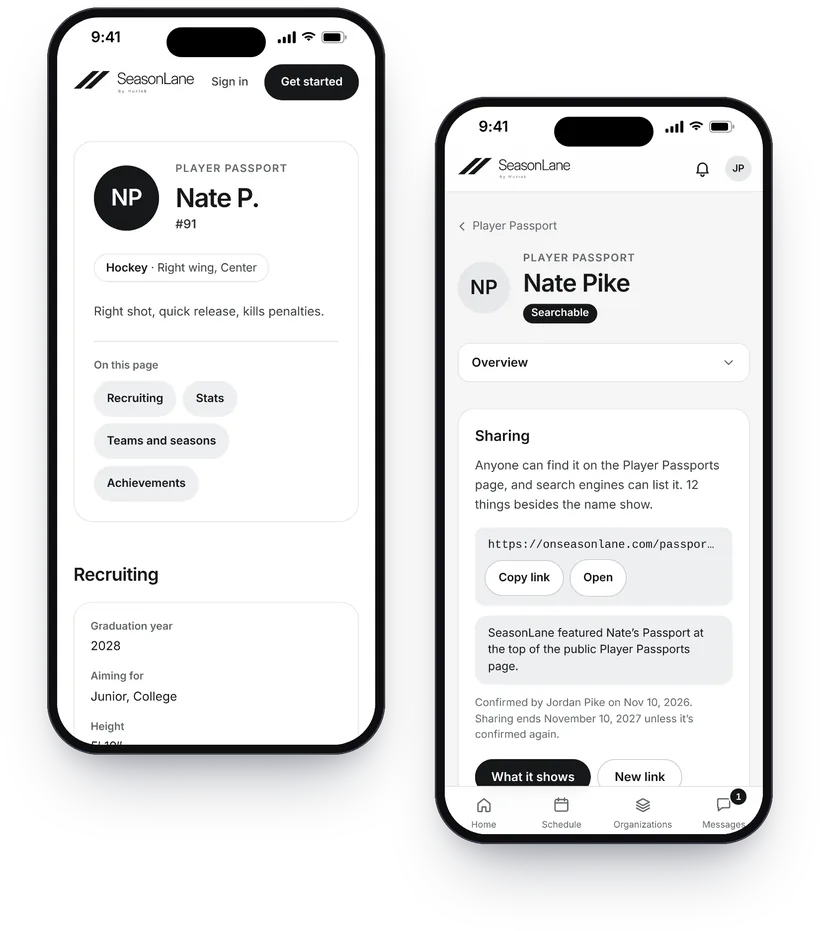
Every athlete on SeasonLane has a Player Passport: the teams and seasons their clubs verify, stats from coaches and verified game sheets, recognitions, and the achievements, photos and highlight links the family adds. It stays private until it’s shared, and then shows only what’s ticked.
- For children, it’s the family’s. A guardian with full access shares it by link, and it never shows a birth date, contact details or where the child will be.
- From 13, families can add recruiting details (graduation year, the levels they’re aiming for, height, what they’re looking for) to showcase the athlete’s experience. Coaches and recruiters can write to the family through SeasonLane, never to the player, and get nobody’s contact details unless the family replies.
- From 18, players keep their own Passport, and families hand a record over when the athlete turns 18.
Help: Your athlete’s Player PassportHelp: Recruiting details
How SeasonLane works: quick answers.
What is SeasonLane?
SeasonLane is sports management software that connects the people who organize sports with the athletes and families who take part. Registration, payments, teams, schedules, communication, events, tournaments, leagues and Player Passports work together on one platform. Organizations run their teams, programs and events in it, and families use one account across every organization on SeasonLane.
What can an organization manage in SeasonLane?
Registration and payments, rosters, every team’s schedule on one calendar with In or Out and reminders, team communication, officials, game sheets, jersey orders, fundraiser links and public listings on Discover. On the Organization plans it also runs the rinks and fields it manages, with sheets, ice for teams and rentals, and on Organization Growth and Scale it hosts tournaments and runs leagues. Everyone confirmed for a session with a team joins its roster, and each staff member sees only what their role allows.
Who registers an athlete?
For a child, a parent, guardian or other family member, from their free account. They add the athlete once, or accept the invitation when a club adds the player first, then register them with any organization on SeasonLane from there. Athletes under 18 don’t have their own sign-in. Adults 18 and older can play as themselves: they add themselves, or accept a club’s invitation sent to them, and register for adult teams and leagues.
What can families do in SeasonLane?
Families sign in once, connect each child’s athlete record, invite other guardians, register for programs, see every practice and game in one schedule with In or Out and a reminder before each one, follow their teams’ chats and announcements, see what they’ve paid, and keep each athlete’s Player Passport, private unless they share it.
Can SeasonLane run tournaments and leagues?
Yes, on Organization Growth (up to 4 tournaments and 2 leagues a year) and Scale (up to 12 and 6). Teams enter with their own account, the host checks private rosters and parent-signed waivers, builds the schedule (a league’s season can be made for you), asks officials to work the games, enters results, and publishes standings and brackets on a public page where anyone can follow a team.
Is SeasonLane only for hockey?
No. Teams, rosters, registration and schedules work for any sport. Game sheets work in hockey, basketball, soccer, baseball, softball and football. Hockey is the first focus.
Is a child’s Player Passport public?
No, not unless a guardian with full access shares it. It’s private to the family, and an organization sees it only when the family attaches its link to say they’re interested. A shared page shows only what that guardian ticks, never a birth date, contact details or where the child will be, and only athletes 13 and older can be listed by search engines and on SeasonLane’s Player Passports page. Making it private ends the link at once.
Can coaches contact an athlete through their Passport?
Only through the family, and only when a guardian with full access allows it on a shared Passport of an athlete 13 or older. A coach or recruiter signed in to SeasonLane writes a message, and SeasonLane emails it to the family with the coach’s name and email. It never goes to the player, and the coach gets nobody’s contact details unless the family replies. Families can block a sender or report a message.
More answers in the FAQ.
Start with your next season.
Set up your organization, or join your child’s team when its organization invites you.