

Player Passport
Player Passports
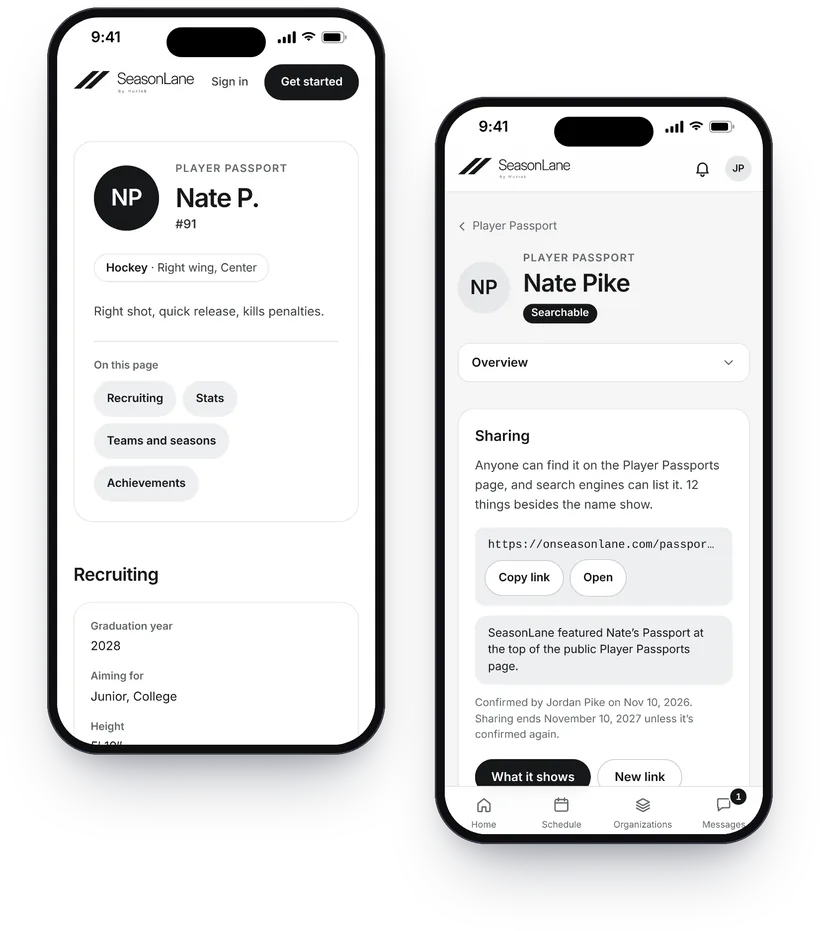
A Player Passport is a family-controlled record of an athlete’s teams and seasons. Club rosters verify teams, game sheets add stats, and guardians choose exactly what appears. Passports are private by default.
This page lists only Passports a guardian with full access chose to make searchable, for athletes 13 and older. There’s no contact, schedule or location information here.
Results
No Player Passports are listed yet.
A Passport shows here only when a guardian makes it searchable (athletes 13 and older).
How a Player Passport works
-
The season becomes part of the record.
Teams on SeasonLane are verified from the organization’s own roster. Verified game sheets add stats, and coaches can add recognitions.
-
The family controls what appears.
A guardian with full access ticks the sections a shared Passport shows. A birth date, contact details and where the athlete will be never show.
-
Sharing can stop at any time.
Making a Passport private ends its link at once, and the athlete leaves this page.
Featured
SeasonLane chooses the featured Passports. Everyone else takes turns near the top: the order changes each day.
Your athlete’s Passport
Every athlete in a family account has one, private until you share it. How the Player Passport works